Wide Open. Gear

The Best Laptops for Video Editing

Video editing punishes a laptop differently from photo editing: it is a sustained load, not a burst. The machines that hold their speed through a long timeline and a long export.

By Stephen V.Last updated How we pick

If editing video is your job, buy the 14-inch MacBook Pro with the M5. The reason is cooling, not raw speed. Video editing is a sustainedload — a scrub through a long timeline, then a twenty-minute export — and a fan-cooled chassis holds its clock speed through that where a fanless one eventually throttles. The mini-LED XDR display is the other half of the argument: it is a reference-grade panel, which is what you want if you grade HDR. For everyone else — and that is most people — the fanless MacBook Air with the M5 edits 4K perfectly happily, costs considerably less and never makes a sound.

This is a different ranking from our photo editing laptop picks, and deliberately so. Photo work is bursty: you ask for a lot of performance for two seconds while a filter renders, then nothing. A fanless laptop is ideal for that, because it never gets hot enough to slow down. Video reverses it. The specs that matter move from display accuracy and memory to cooling, storage speed and how much the machine has left after ten minutes at full tilt.

Two specs are worth more attention than the processor name. Memoryis the one people under-buy — 4K multicam and anything with effects will use everything you give it, and on Apple silicon it is soldered, so the configuration you buy is the one you keep. And storage: video fills a drive alarmingly fast, so either configure more than feels necessary or plan to work off a fast external SSD, which is a cheaper way to get there.

How this is funded:we earn a commission if you buy through our links, at no extra cost to you. It never changes which product we recommend, and we’ll tell you plainly when to skip one. Full disclosure.

Quick picks

Ranked on published specs and buyer fit. Select a row to jump to the full write-up. We have not tested these products — here is exactly what we do instead.

#ProductBest forPrice
1
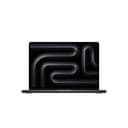
Apple MacBook Pro (M5, 14-inch)

Apple MacBook Pro (M5, 14-inch)

The laptop for people who edit for a living. The fan-cooled Pro sustains heavy 4K and 8K timelines the Air will eventually throttle, and the mini-LED XDR display is a genuine reference-grade panel for color and HDR grading. It is expensive and heavier — buy it only if long-form video is your actual job.

Best overall
2
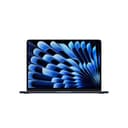
Apple MacBook Air (M5, 13-inch)

Apple MacBook Air (M5, 13-inch)

The editing laptop most creators should buy. Apple silicon handles photo work and 4K video editing far beyond what a fanless, silent, all-day-battery laptop has any right to. The Liquid Retina display is color-accurate out of the box. Unless you edit long-form 4K/8K timelines daily, the Air is enough.

Best for most editors
$1,099.00 · View on Amazon

$1,299.0015% off

Price as of October 5, 2026. #ad How we’re funded

3
ASUS ProArt PX13

ASUS ProArt PX13

The Windows editing laptop for people who want a color-accurate OLED in a convertible chassis. The ProArt line targets creators specifically: a 3K OLED touchscreen at 500 nits with full NTSC gamut coverage, an 8-core Ryzen AI Max+ 388 with a 50 TOPS NPU for AI-accelerated tools, and a 360-degree hinge for pen and tablet work — all at 3.06 lb. The pick if you edit on Windows.

Best on Windows
$2,319.00 · View on Amazon

Price as of October 5, 2026. #ad How we’re funded

4
ASUS Zenbook 14 OLED

ASUS Zenbook 14 OLED

The value Windows editing laptop. You get a lovely OLED panel and a capable modern CPU with long battery life for well under the ProArt or MacBook Pro. There is no discrete GPU, so heavy effects-laden 4K timelines will crawl — but for photo work and lighter video, it is a lot of laptop for the money.

Best value
$1,449.99 · View on Amazon

$1,699.9915% off

Price as of October 5, 2026. #ad How we’re funded

The picks in full

#1Best overall

Apple MacBook Pro (M5, 14-inch)

The laptop for people who edit for a living. The fan-cooled Pro sustains heavy 4K and 8K timelines the Air will eventually throttle, and the mini-LED XDR display is a genuine reference-grade panel for color and HDR grading. It is expensive and heavier — buy it only if long-form video is your actual job.

Strengths

  • Sustains heavy 4K/8K timelines without throttling
  • Reference-grade mini-LED XDR display for grading
  • More ports and far more configurable power

Trade-offs

  • Expensive and heavier than the Air
  • Overkill for photo-only or light video work
ChipApple M5
Display14.2-inch Liquid Retina XDR (mini-LED)
CoolingActive (fan-cooled)
Best forLong-form 4K/8K video and HDR grading

Specifications read from the manufacturer listing, on July 18, 2026.

#2Best for most editors

Apple MacBook Air (M5, 13-inch)

The editing laptop most creators should buy. Apple silicon handles photo work and 4K video editing far beyond what a fanless, silent, all-day-battery laptop has any right to. The Liquid Retina display is color-accurate out of the box. Unless you edit long-form 4K/8K timelines daily, the Air is enough.

Strengths

  • Silent, fanless, and lasts all day on battery
  • Color-accurate Liquid Retina display out of the box
  • Apple silicon breezes through photo and 4K video edits

Trade-offs

  • Base storage is small — configure more or use an external SSD
  • Sustained heavy 4K/8K work favors the fan-cooled Pro
ChipApple M5
Display13.6-inch Liquid Retina
CoolingFanless (silent)
Best forPhoto edits and everyday 4K video

Specifications read from the manufacturer listing, on July 18, 2026.

#3Best on Windows

ASUS ProArt PX13

The Windows editing laptop for people who want a color-accurate OLED in a convertible chassis. The ProArt line targets creators specifically: a 3K OLED touchscreen at 500 nits with full NTSC gamut coverage, an 8-core Ryzen AI Max+ 388 with a 50 TOPS NPU for AI-accelerated tools, and a 360-degree hinge for pen and tablet work — all at 3.06 lb. The pick if you edit on Windows.

Strengths

  • 3K OLED touchscreen at 500 nits with 100% NTSC gamut coverage
  • 8-core, 16-thread Ryzen AI Max+ 388 with a 50 TOPS NPU
  • 360-degree convertible hinge for pen and tablet workflows, at 3.06 lb

Trade-offs

  • Integrated Radeon graphics, so heavy GPU-accelerated effects trail a discrete-GPU laptop
  • 60Hz panel and a premium price
ChipAMD Ryzen AI Max+ 388, 8-core / 16-thread, 50 TOPS NPU
Display13.3-inch 3K (2880x1800) OLED touch, 500 nits, 60Hz
GraphicsIntegrated AMD Radeon (shared system memory)
Form2-in-1 convertible, 3.06 lb
OSWindows 11 Home

Specifications read from the manufacturer listing, on August 31, 2026.

#4Best value

ASUS Zenbook 14 OLED

The value Windows editing laptop. You get a lovely OLED panel and a capable modern CPU with long battery life for well under the ProArt or MacBook Pro. There is no discrete GPU, so heavy effects-laden 4K timelines will crawl — but for photo work and lighter video, it is a lot of laptop for the money.

Strengths

  • Excellent OLED display for the price
  • Long battery life and a light, thin chassis
  • Capable multi-core CPU for photo work

Trade-offs

  • Integrated graphics only — slower on heavy 4K effects
  • Thermals throttle under sustained heavy load
Display14-inch OLED
GraphicsIntegrated (no discrete GPU)
BatteryAll-day for light workloads
OSWindows 11

Specifications read from the manufacturer listing, on July 18, 2026.

Why cooling beats clock speed

A benchmark score is a measurement of a few seconds. An export is a measurement of twenty minutes, and those two numbers diverge. Every laptop has a thermal limit; when it reaches it, it slows down to stay there. A fanless machine like the Air reaches it sooner and sits lower, which is invisible during photo work and very visible when you are exporting long-form footage back to back.

That does not make the Air a bad video editor. Apple silicon includes dedicated media engines for the codecs editors actually use, which is why a thin fanless laptop handles 4K timelines that would have needed a workstation a few years ago. The honest line is this: if your exports are occasional, the Air is enough and the Pro is a waste of money. If you export every day and a slow render costs you time you bill for, the Pro pays for itself.

Discrete graphics, and when it matters

This is where the Windows picks need reading carefully. Both the ProArt PX13 and the Zenbook 14 OLED here use integrated graphicsthat share system memory rather than a discrete GPU with its own. For cuts-and-titles editing that is fine. For GPU-accelerated work — noise reduction, warp stabiliser, heavy colour nodes, 3D titles — a discrete GPU is substantially faster, and neither of these has one.

The ProArt earns its place anyway for a specific buyer: someone who must be on Windows and wants a colour-accurate display. A 3K OLED touchscreen at 500 nits with full NTSC gamut coverage, an 8-core Ryzen AI Max+ 388 with a 50 TOPS NPU for the AI-accelerated tools editors increasingly use, and a 360-degree hinge for pen work, at just over three pounds. The Zenbook is the same idea with less of everything and a much friendlier price, and it will crawl on effects-heavy 4K.

The display: what actually matters

For video, two things. First, brightness and contrastif you grade HDR — this is the whole case for the Pro’s mini-LED XDR panel, which can show you highlights an SDR laptop screen simply cannot represent. Second, consistency. OLED panels like the ProArt’s and the Zenbook’s look spectacular and have genuinely excellent gamut coverage, which is exactly what you want.

What no laptop panel gives you is a known, calibrated reference. If colour-critical delivery is part of the job, a laptop is your interface and an external display is your reference — our monitor roundup covers panels that take that seriously, and how to calibrate your monitor is the step most people skip.

Storage, and the cheap way to solve it

Video storage is a recurring cost, not a one-off decision. An hour of 4K from a modern camera is tens of gigabytes, and a project keeps the originals, the proxies, the cache and the export. Internal storage on every laptop here is expensive per gigabyte and cannot be upgraded later, which makes a fast external SSD the sensible answer: keep the operating system and applications internal, keep media external.

A USB SSD at around 1,000 MB/s is fast enough to edit multiple 4K streams directly off the drive, which means the drive becomes your project archive as well as your working disk. Our portable SSD roundup covers the options, and how to back up your photos applies the same logic to keeping any of it safe.
Frequently asked questions

What is the best laptop for video editing?

The 14-inch MacBook Pro with the M5 if editing is your job — it is fan-cooled, so it sustains long 4K and 8K timelines and exports without throttling, and the mini-LED XDR display is reference-grade for HDR grading. For most people the fanless MacBook Air with the M5 handles 4K editing comfortably for considerably less money.

Is a MacBook Air good enough for video editing?

For most editors, yes. Apple silicon includes dedicated media engines for the codecs editors use, so the Air handles 4K timelines that would once have needed a workstation. Its limit is sustained load: being fanless, it throttles on long back-to-back exports where the fan-cooled Pro holds its speed. Occasional exports, buy the Air; daily exports, buy the Pro.

How much RAM do I need for video editing?

More than feels necessary, and the decision is permanent on Apple silicon because the memory is soldered. 4K multicam, effects and colour work will use everything you give them. Configure up at purchase rather than planning to upgrade, because on none of these laptops can you add memory later.

Do I need a laptop with a discrete GPU for video editing?

It depends on what you do. Straight cuts, titles and simple grades run fine on integrated graphics. GPU-accelerated effects — noise reduction, stabilisation, heavy colour nodes — are substantially faster with a discrete GPU. Note that both Windows picks here use integrated graphics, which is the main compromise in choosing them.

Is the best laptop for photo editing also best for video?

Not quite, and the difference is cooling. Photo editing is bursty, so a silent fanless laptop is ideal. Video is a sustained load, which rewards active cooling, fast storage and plenty of memory. That is why our photo editing picks lead with the MacBook Air and these lead with the fan-cooled Pro.

What is the best Windows laptop for video editing?

The ASUS ProArt PX13, for someone who needs Windows and a colour-accurate screen: a 3K OLED touchscreen at 500 nits with full NTSC gamut coverage, an 8-core Ryzen AI Max+ 388 with a 50 TOPS NPU, and a convertible hinge, at just over three pounds. Be aware it uses integrated Radeon graphics rather than a discrete GPU.

How much storage do I need for video editing?

More than any reasonable internal drive provides, which is why the practical answer is an external one. An hour of 4K runs to tens of gigabytes before you add proxies, cache and exports. Keep the system and applications on the internal drive and your media on a fast USB SSD — around 1,000 MB/s is enough to edit several 4K streams straight off it.

Sources

Keep reading