Wide Open. Gear

The Best Key Light for Zoom Calls

One light, in front of you, above eye level — the desk lights that make a webcam look like you meant it, without taking over the desk.

By Stephen V.Last updated How we pick

Almost every bad-looking video call is a lighting problem, not a camera problem. A webcam has a small sensor, and in a dim room it responds by cranking the gain until your face is grainy, grey and slightly out of focus. Put a single soft light in front of you and the same webcam suddenly looks sharp, warm and deliberate — a bigger improvement than any camera upgrade at the same price.

A call light has a different job from a video light. It has to live permanently on a desk that also holds a monitor, a keyboard and a coffee, it has to switch on without a setup ritual, and it never needs the raw output of a studio fixture, because you are two feet away from it. That means small, soft, easy to aim and easy to dim. The picks below are ordered by how well they fit a real desk.

How this is funded:we earn a commission if you buy through our links, at no extra cost to you. It never changes which product we recommend, and we’ll tell you plainly when to skip one. Full disclosure.

Quick picks

Ranked on published specs and buyer fit. Select a row to jump to the full write-up. We have not tested these products — here is exactly what we do instead.

#ProductBest forPrice
1
Elgato Key Light Neo

Elgato Key Light Neo

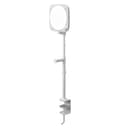
The streamer's key light, made simple. Elgato's Key Light Neo is an edge-lit panel you control from software on your PC or phone — no reaching behind the light to adjust it mid-stream. The soft, diffused output is flattering, and it clamps neatly to a desk. It is about convenience and integration, not raw power.

Best overall
$89.99 · View on Amazon

Price as of September 3, 2026. #ad How we’re funded

2
Neewer 12-inch Desktop Ring Light (RH12B)

Neewer 12-inch Desktop Ring Light (RH12B)

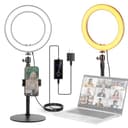
The desk ring light for anyone who lives on video calls. A 12-inch ring on an adjustable desk stand with a high CRI rating, so skin tones look right. It is the tidy, permanent option that sits by your monitor rather than the tall stand you keep tripping over.

Best desk ring light
$63.99 · View on Amazon

Price as of September 3, 2026. #ad How we’re funded

3
Lume Cube Bicolor Panel Mini

Lume Cube Bicolor Panel Mini

The pocket LED for on-camera and travel. A small bi-color panel with a built-in battery and an LCD readout, light enough to sit in a camera's hot shoe or clip anywhere. It won't light a room, but as a fill light or a portable key for a talking-head, it earns its place in a bag.

Best for a laptop bag
$69.99 · View on Amazon

Price as of September 3, 2026. #ad How we’re funded

4
UBeesize 12-inch Ring Light with Stand

UBeesize 12-inch Ring Light with Stand

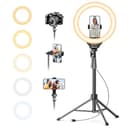
The cheap ring light that just works for phone creators. A 12-inch ring on a 62-inch stand with a phone clamp, for the price of lunch. Don't expect it to light a room — but for selfie video, TikToks and video calls, it is the easiest lighting upgrade there is.

Best budget
$29.69 · View on Amazon

Price as of September 3, 2026. #ad How we’re funded

The picks in full

#1Best overall

Elgato Key Light Neo

The streamer's key light, made simple. Elgato's Key Light Neo is an edge-lit panel you control from software on your PC or phone — no reaching behind the light to adjust it mid-stream. The soft, diffused output is flattering, and it clamps neatly to a desk. It is about convenience and integration, not raw power.

Strengths

  • Adjust brightness and color from your PC or phone
  • Soft, diffused, flattering output
  • Integrates with Elgato's streaming ecosystem

Trade-offs

  • Less raw output than a COB light with a softbox
  • Priced above generic panels for the software convenience
TypeEdge-lit LED panel
ColorBi-color 2900-7000K
ControlSoftware (PC), app, on-unit
MountingDesk clamp / stand

Specifications read from the manufacturer listing, on July 18, 2026.

#2Best desk ring light

Neewer 12-inch Desktop Ring Light (RH12B)

The desk ring light for anyone who lives on video calls. A 12-inch ring on an adjustable desk stand with a high CRI rating, so skin tones look right. It is the tidy, permanent option that sits by your monitor rather than the tall stand you keep tripping over.

Strengths

  • Adjustable 11-18 inch desk stand — no floor tripod to knock
  • High CRI 97+ for accurate skin tones
  • Rotating phone holder and a Bluetooth shutter remote included

Trade-offs

  • Small ring; not enough to light a whole scene
  • Desk-height only
Type12-inch, 24W LED desk ring light
ColorBi-color 2900-7000K, 0-100% dimming
Color accuracyCRI 97+ / TLCI 98+
StandAdjustable desk stand, 11-18 in

Specifications read from the manufacturer listing, on August 17, 2026.

#3Best for a laptop bag

Lume Cube Bicolor Panel Mini

The pocket LED for on-camera and travel. A small bi-color panel with a built-in battery and an LCD readout, light enough to sit in a camera's hot shoe or clip anywhere. It won't light a room, but as a fill light or a portable key for a talking-head, it earns its place in a bag.

Strengths

  • Built-in battery — no cable, genuinely portable
  • Bi-color with an LCD readout for precise settings
  • Small enough for a hot shoe or a bag pocket

Trade-offs

  • Low output — a fill or accent, not a key
  • Short runtime at full brightness
TypeBi-color LED panel (on-camera)
ColorAdjustable bi-color
PowerBuilt-in rechargeable battery
MountingCold shoe / 1/4-inch thread

Specifications read from the manufacturer listing, on July 18, 2026.

#4Best budget

UBeesize 12-inch Ring Light with Stand

The cheap ring light that just works for phone creators. A 12-inch ring on a 62-inch stand with a phone clamp, for the price of lunch. Don't expect it to light a room — but for selfie video, TikToks and video calls, it is the easiest lighting upgrade there is.

Strengths

  • Very cheap; includes stand and phone holder
  • Adjustable color temperature and brightness
  • Simple to set up in seconds

Trade-offs

  • Smaller ring means less soft, less powerful light
  • Lightweight stand tips easily if knocked
Type12-inch LED ring light
StandUp to 62-inch tripod
Color3 color modes, 10 brightness levels
PowerUSB

Specifications read from the manufacturer listing, on July 18, 2026.

Where to put it, in one paragraph

In front of you, slightly to one side, and above eye level, angled down at your face. That is the whole technique. A light beside your monitor at eye height flattens your face; a light below you produces the campfire-ghost-story look; a light behind you turns you into a silhouette. The most common real-world mistake is a bright window behind the desk — if you cannot move the desk, close the blind and let the lamp do the work, because no webcam wins an argument with daylight.

Distance matters as much as position. A small panel two feet from your face is a soft, flattering source. The same panel across the room is a hard little point of light that carves shadows under your nose. Close and dimmed almost always beats far and bright.

Panel or ring?

An edge-lit panel off to one side gives a slightly dimensional, natural look and keeps your desk clear of a hoop. A ring lightsits around or beside the camera and produces flat, even, shadowless light with a distinctive circular catchlight in the eyes — extremely forgiving, and instantly recognisable as a ring light to anyone who has used one. Neither is wrong. Panels look a little more like a studio; rings are the easier win if you do not want to think about placement at all.

Colour temperature is the other control worth using. Match the light to the room rather than fighting it: warm bulbs around you and a cold blue panel on your face is the combination that makes people look ill on camera. Bi-colour lights let you dial that in, and the picks here that offer it are the ones to prefer if your room lighting changes through the day.

Software control is not a gimmick

The reason streamers pay extra for a software-controlled panel applies just as well to a working day of calls: you adjust brightness and warmth from the computer or phone without reaching behind a hot light between meetings, and the same setting comes back tomorrow. If you take four calls a day, that convenience compounds. If you take one a week, buy the cheaper light and spend the difference on a better webcam.

Frequently asked questions

Where should I put a key light for a video call?

In front of you, slightly to one side, and above eye level angled down at your face. Roughly two feet away is ideal — close and dimmed looks softer than far and bright. The one thing to avoid is a bright window or lamp behind you, which forces the webcam to expose for the background and turns you into a silhouette.

Do I really need a light for Zoom calls?

If your calls currently look grainy, grey or dim, yes — and it is the cheapest fix available. Webcams have small sensors and raise gain in low light, which is where the noise comes from. Adding light lets the camera drop its gain, which sharpens the image far more than buying a higher-resolution webcam would.

Ring light or panel light for video calls?

A ring gives flat, even, very forgiving light with a circular catchlight in your eyes, and needs almost no thought about placement. A panel off to one side looks slightly more natural and dimensional and keeps a hoop off your desk. Both work well — pick on whether you want the easier setup or the more natural look.

How bright should a call light be?

Bright enough that the webcam stops boosting gain, and no brighter. If you are squinting or your face looks blown out and flat, turn it down. Every light here dims, and running a close light at half power almost always looks better than a distant light at full.

What colour temperature should I use?

Match the room you are sitting in. If your office has warm lamps, set the light warm; if you are working next to daylight, set it cool. Mixing a cold light on your face with warm light behind you is what produces the slightly unwell look people notice on calls without being able to say why.

Can I just use a desk lamp?

You can, and it beats nothing, but a bare bulb is a small, hard source that produces sharp shadows and often an odd colour cast that the webcam cannot correct. The lights here are diffused across a much larger surface, which is what makes the light soft, and they let you set the colour rather than accepting whatever the bulb gives you.

Sources

Keep reading