Wide Open. Gear

The Best Laptops for Photo Editing

Mac and Windows laptops that handle photos and 4K video without throttling — and the split between silent all-day machines and fan-cooled workhorses.

By Stephen V.Last updated How we pick

The single most useful thing to understand about editing laptops is the split between silent, all-day machines and fan-cooled workhorses. Modern efficient chips — Apple silicon especially — edit photos and everyday 4K far beyond what a thin, fanless laptop should manage, on all-day battery. But sustained, heavy 4K and 8K timelines eventually throttle a fanless machine, where a fan-cooled laptop keeps going.

So the question isn’t “which is most powerful” but “how heavy is your editing?” For photos and light-to-moderate video, a fanless laptop is quieter, lighter and cheaper, and it’s all most creators need. For full-time, effects-heavy video work, the fan-cooled option earns its extra cost and weight. We’ve picked across both, on Mac and Windows, with a color-accurate display flagged where it matters.

How this is funded:we earn a commission if you buy through our links, at no extra cost to you. It never changes which product we recommend, and we’ll tell you plainly when to skip one. Full disclosure.

Quick picks

Ranked on published specs and buyer fit. Select a row to jump to the full write-up. We have not tested these products — here is exactly what we do instead.

#ProductBest forPrice
1
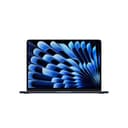
Apple MacBook Air (M5, 13-inch)

Apple MacBook Air (M5, 13-inch)

The editing laptop most creators should buy. Apple silicon handles photo work and 4K video editing far beyond what a fanless, silent, all-day-battery laptop has any right to. The Liquid Retina display is color-accurate out of the box. Unless you edit long-form 4K/8K timelines daily, the Air is enough.

Best for most creators
$1,259.99 · View on Amazon

Price as of July 28, 2026. #ad How we’re funded

2
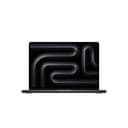
Apple MacBook Pro (M5, 14-inch)

Apple MacBook Pro (M5, 14-inch)

The laptop for people who edit for a living. The fan-cooled Pro sustains heavy 4K and 8K timelines the Air will eventually throttle, and the mini-LED XDR display is a genuine reference-grade panel for color and HDR grading. It is expensive and heavier — buy it only if long-form video is your actual job.

Best for heavy video
$2,049.00 · View on Amazon

$2,199.007% off

Price as of July 28, 2026. #ad How we’re funded

3
ASUS ProArt PX13

ASUS ProArt PX13

The Windows editing laptop for people who want a color-accurate OLED and a discrete GPU. The ProArt line targets creators specifically: a calibrated 3K OLED touchscreen, a capable GPU for GPU-accelerated video work, and a 2-in-1 hinge for tablet-style tasks. The pick if you edit on Windows.

Best Windows creator laptop
$2,159.99 · View on Amazon

Price as of July 28, 2026. #ad How we’re funded

4
ASUS Zenbook 14 OLED

ASUS Zenbook 14 OLED

The value Windows editing laptop. You get a lovely OLED panel and a capable modern CPU with long battery life for well under the ProArt or MacBook Pro. There is no discrete GPU, so heavy effects-laden 4K timelines will crawl — but for photo work and lighter video, it is a lot of laptop for the money.

Best value
$1,699.99 · View on Amazon

Price as of July 28, 2026. #ad How we’re funded

The picks in full

#1Best for most creators

Apple MacBook Air (M5, 13-inch)

The editing laptop most creators should buy. Apple silicon handles photo work and 4K video editing far beyond what a fanless, silent, all-day-battery laptop has any right to. The Liquid Retina display is color-accurate out of the box. Unless you edit long-form 4K/8K timelines daily, the Air is enough.

Strengths

  • Silent, fanless, and lasts all day on battery
  • Color-accurate Liquid Retina display out of the box
  • Apple silicon breezes through photo and 4K video edits

Trade-offs

  • Base storage is small — configure more or use an external SSD
  • Sustained heavy 4K/8K work favors the fan-cooled Pro
ChipApple M5
Display13.6-inch Liquid Retina
CoolingFanless (silent)
Best forPhoto edits and everyday 4K video

Specifications read from the manufacturer listing, on July 18, 2026.

#2Best for heavy video

Apple MacBook Pro (M5, 14-inch)

The laptop for people who edit for a living. The fan-cooled Pro sustains heavy 4K and 8K timelines the Air will eventually throttle, and the mini-LED XDR display is a genuine reference-grade panel for color and HDR grading. It is expensive and heavier — buy it only if long-form video is your actual job.

Strengths

  • Sustains heavy 4K/8K timelines without throttling
  • Reference-grade mini-LED XDR display for grading
  • More ports and far more configurable power

Trade-offs

  • Expensive and heavier than the Air
  • Overkill for photo-only or light video work
ChipApple M5
Display14.2-inch Liquid Retina XDR (mini-LED)
CoolingActive (fan-cooled)
Best forLong-form 4K/8K video and HDR grading

Specifications read from the manufacturer listing, on July 18, 2026.

#3Best Windows creator laptop

ASUS ProArt PX13

The Windows editing laptop for people who want a color-accurate OLED and a discrete GPU. The ProArt line targets creators specifically: a calibrated 3K OLED touchscreen, a capable GPU for GPU-accelerated video work, and a 2-in-1 hinge for tablet-style tasks. The pick if you edit on Windows.

Strengths

  • Calibrated 3K OLED touchscreen for accurate color
  • Discrete GPU accelerates video editing and effects
  • 2-in-1 hinge for pen and tablet workflows

Trade-offs

  • OLED and GPU push battery life down under load
  • Premium price
Display13.3-inch 3K OLED touchscreen
GPUDiscrete graphics for GPU acceleration
Form2-in-1 convertible
OSWindows 11

Specifications read from the manufacturer listing, on July 18, 2026.

#4Best value

ASUS Zenbook 14 OLED

The value Windows editing laptop. You get a lovely OLED panel and a capable modern CPU with long battery life for well under the ProArt or MacBook Pro. There is no discrete GPU, so heavy effects-laden 4K timelines will crawl — but for photo work and lighter video, it is a lot of laptop for the money.

Strengths

  • Excellent OLED display for the price
  • Long battery life and a light, thin chassis
  • Capable multi-core CPU for photo work

Trade-offs

  • Integrated graphics only — slower on heavy 4K effects
  • Thermals throttle under sustained heavy load
Display14-inch OLED
GraphicsIntegrated (no discrete GPU)
BatteryAll-day for light workloads
OSWindows 11

Specifications read from the manufacturer listing, on July 18, 2026.

How to choose an editing laptop

Start with your workload. Editing photos and the occasional 4K clip? A fanless MacBook Air or a value Windows laptop is plenty, and you’ll love the silence and battery life. Editing long-form 4K or 8K daily, with effects and color grading? Choose a fan-cooled machine (a MacBook Pro or a ProArt with a discrete GPU) that sustains the load.

Then check the display, because a laptop is often your only screen on the go — the picks here have color-accurate panels. And configure enough storage, or plan to edit off a fast portable SSD. At the desk, add a color-accurate external monitor for a bigger, calibrated canvas.

Frequently asked questions

Mac or Windows for photo and video editing?

Both are excellent. Apple silicon Macs are famously efficient — silent, long battery, strong editing performance — and the ecosystem is popular with creators. Windows laptops like the ASUS ProArt offer discrete GPUs and touchscreens and often more configuration for the money. Choose the OS you prefer; both edit well.

Do I need a fan-cooled laptop or is fanless fine?

Fanless (like the MacBook Air) is fine and lovely for photos and everyday 4K — silent and long battery. For sustained heavy 4K/8K video with effects, a fan-cooled machine avoids throttling under long loads. Match it to how heavy your editing really is.

How much RAM and storage do I need for editing?

For photos, 16GB of memory is a comfortable baseline; heavy 4K/8K video benefits from 24-32GB. Storage fills fast with video, so configure more than you think or plan to edit off a fast external SSD to keep the internal drive free.

Do I need a discrete GPU?

For photo editing, no — integrated graphics on a modern chip are plenty. For GPU-accelerated video effects and heavy timelines, a discrete GPU (as in the ASUS ProArt) speeds things up noticeably. Apple silicon's integrated GPU is also very capable for video.

Is a laptop screen good enough for editing color?

The color-accurate panels on these picks are good for editing on the go. For critical color work, add a calibrated external monitor at the desk — a laptop screen, however good, is small and affected by ambient light.

Sources

Keep reading