Wide Open. Gear

The Best Webcams for Video Calls

Zoom, Teams and Meet all the day long. The webcams that handle a window behind you, a dim room and a laptop you never want to configure twice.

By Stephen V.Last updated How we pick

Buy the Logitech Brio 4Kif you are on calls for a living and want to stop thinking about it. The reason is not the 4K — a call gets compressed to a fraction of that anyway — it is the HDR, which is the single feature that deals with the bright window behind your desk instead of turning you into a silhouette. Windows Hello face login is a genuine daily convenience on a work machine, and it works properly in every app without software babysitting. If you just want to look presentable and spend as little as possible, the Logitech C920 HD Pro is still the right answer and has been for years.

A call webcam is a different purchase from a streaming webcam. You are not chasing a look; you are removing problems. The problems, in order of how often they actually ruin a call: a backlit window, a dim room, a camera that needs its own app running to behave, and a microphone that picks up the whole office. Resolution is near the bottom of that list, which is why the cheapest pick here is a perfectly serious recommendation and why upgrading from 1080p to 4K changes less than people expect.

One thing worth knowing before you spend anything: a webcam cannot out-run bad light. Every webcam here has a small sensor, and in a dim room it responds by raising gain until your face goes grainy and grey. Adding a lamp in front of you improves the picture more than any camera upgrade at the same price — our key lights for Zoom calls roundup is the cheaper half of this problem, and it is the one to buy first if you can only buy one.

How this is funded:we earn a commission if you buy through our links, at no extra cost to you. It never changes which product we recommend, and we’ll tell you plainly when to skip one. Full disclosure.

Quick picks

Ranked on published specs and buyer fit. Select a row to jump to the full write-up. We have not tested these products — here is exactly what we do instead.

#ProductBest forPrice
1
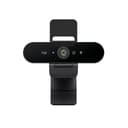
Logitech Brio 4K

Logitech Brio 4K

The webcam to buy when a real camera is overkill but a laptop cam is embarrassing. 4K capture, HDR that handles a bright window behind you, and Windows Hello face login. It is the top of the plug-and-play webcam world — beyond it, you are into mirrorless-as-webcam territory.

Best overall
$169.99 · View on Amazon

Price as of October 5, 2026. #ad How we’re funded

2
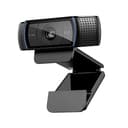
Logitech C920 HD Pro

Logitech C920 HD Pro

The default budget webcam, and still the right answer for most people who just need to look presentable on calls. Reliable 1080p, works with everything, and cheap. It won't wow anyone, and it needs decent lighting to shine — but as a no-drama upgrade over a laptop camera, it is unbeaten value.

Best value
$67.30 · View on Amazon

Price as of October 5, 2026. #ad How we’re funded

3
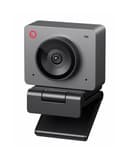
OBSBOT Meet SE

OBSBOT Meet SE

The budget webcam that still gives you control over the image. OBSBOT's Center software adjusts brightness and hue, AI framing keeps you centered when you move around, and the 1/2.8-inch stacked sensor with dual native ISO and staggered HDR is a genuine step up from typical sub-$60 webcam optics. The frame rates are unusual at this price too: 1080p all the way to 100fps.

Best for a dim room
$69.00 · View on Amazon

Price as of October 5, 2026. #ad How we’re funded

4
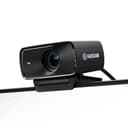
Elgato Facecam MK.2

Elgato Facecam MK.2

The streamer's webcam. Crisp 1080p60 with HDR, a proper glass lens, and Elgato's Camera Hub software that gives you real manual control over exposure and white balance — the thing generic webcams never let you touch. If you stream and want your face to look deliberately good, this is the pick.

Best image control
$119.99 · View on Amazon

$139.9914% off

Price as of October 5, 2026. #ad How we’re funded

The picks in full

#1Best overall

Logitech Brio 4K

The webcam to buy when a real camera is overkill but a laptop cam is embarrassing. 4K capture, HDR that handles a bright window behind you, and Windows Hello face login. It is the top of the plug-and-play webcam world — beyond it, you are into mirrorless-as-webcam territory.

Strengths

  • 4K capture with HDR for tricky backlighting
  • Adjustable field of view and Windows Hello login
  • Genuinely plug-and-play across apps

Trade-offs

  • Still a small-sensor webcam — a real camera looks better
  • Software can be heavy on system resources
Resolution4K30 / 1080p60
FeatureHDR, adjustable FOV, Windows Hello
MicDual noise-canceling
ConnectionUSB-C

Specifications read from the manufacturer listing, on July 18, 2026.

#2Best value

Logitech C920 HD Pro

The default budget webcam, and still the right answer for most people who just need to look presentable on calls. Reliable 1080p, works with everything, and cheap. It won't wow anyone, and it needs decent lighting to shine — but as a no-drama upgrade over a laptop camera, it is unbeaten value.

Strengths

  • Reliable 1080p that works with every app
  • Cheap and endlessly available
  • Dual built-in mics are fine for calls

Trade-offs

  • Needs good lighting to look its best
  • 1080p30 only; no HDR
Resolution1080p30
MicDual stereo built-in
MountClip and tripod thread
ConnectionUSB-A

Specifications read from the manufacturer listing, on July 18, 2026.

#3Best for a dim room

OBSBOT Meet SE

The budget webcam that still gives you control over the image. OBSBOT's Center software adjusts brightness and hue, AI framing keeps you centered when you move around, and the 1/2.8-inch stacked sensor with dual native ISO and staggered HDR is a genuine step up from typical sub-$60 webcam optics. The frame rates are unusual at this price too: 1080p all the way to 100fps.

Strengths

  • OBSBOT Center software adjusts brightness, hue and framing
  • 1080p up to 100fps, and 720p up to 150fps
  • 1/2.8-inch stacked sensor with dual native ISO and staggered HDR for dim rooms

Trade-offs

  • 1080p maximum, so there is no 4K headroom to crop into
  • The 100fps mode and AI framing depend on OBSBOT's software running
Resolution1080p up to 100fps; 720p up to 150fps
Sensor1/2.8-inch stacked CMOS, 2.9-micron pixels, dual native ISO
ControlOBSBOT Center software, AI framing, gesture control
ConnectionUSB-C, plug and play

Specifications read from the manufacturer listing, on August 31, 2026.

#4Best image control

Elgato Facecam MK.2

The streamer's webcam. Crisp 1080p60 with HDR, a proper glass lens, and Elgato's Camera Hub software that gives you real manual control over exposure and white balance — the thing generic webcams never let you touch. If you stream and want your face to look deliberately good, this is the pick.

Strengths

  • Sharp 1080p60 with HDR and a quality glass lens
  • Full manual exposure and white-balance control in software
  • Onboard memory saves your settings

Trade-offs

  • 1080p, not 4K
  • No built-in microphone
Resolution1080p60, HDR
ControlManual exposure/white balance (Camera Hub)
MicNone (use a dedicated mic)
ConnectionUSB-C

Specifications read from the manufacturer listing, on July 18, 2026.

The window behind you is the real problem

Most bad-looking calls are one problem: the brightest thing in frame is behind you. A webcam meters for the whole scene, the window wins, and your face is left dark. There are three fixes, in increasing order of cost. Move the desk so the window is in front of you — free, and the best result of the three. Add a light in front of you so your face competes with the window. Or buy a camera with HDR, which captures a brighter and a darker exposure and combines them, which is exactly what the Brio 4K and the OBSBOT Meet SE do.

HDR is not magic and it will not rescue a shot where the window is enormous and you are entirely in shadow. But it is the difference between “a bit dim” and “unrecognisable”, and on a camera you will use for an hour a day it is worth paying for.

Do you need 4K for a video call?

No. Zoom, Teams and Meet all cap what they transmit well below 4K and compress it hard, and the stream is throttled further whenever your connection or the host’s layout demands it. What a 4K sensor genuinely buys you is headroom to crop: the Brio can narrow its field of view to frame you tighter and still output a clean 1080p, where a native 1080p camera doing the same crop is just throwing away pixels. If you never crop, a good 1080p camera is all you need.

Field of view is the spec people underestimate. A wide-angle webcam at desk distance includes your whole room, the door and anyone walking through it. A narrower view puts you in the frame and the clutter out of it. The Brio lets you choose; the others are fixed, and the C920’s default is sensible for one person at a desk.

Built-in mic, or a real one?

For a call, built-in is genuinely fine — call platforms apply heavy noise suppression anyway, and the C920 and Brio both have usable dual mics. This is the one place a streaming-focused camera can catch you out: the Elgato Facecam MK.2 has no microphone at all, by design, because streamers use a separate mic. If you buy it for calls, you need headphones or a desk mic too, and that is a real cost to add to the price.

If you do want to sound better than the room, a desk mic is the upgrade that colleagues notice most — a dynamic mic in particular ignores the air conditioning and the keyboard in a way a webcam mic cannot. Our USB microphone roundup covers the options, and dynamic vs condenser explains why the choice is really about your room.

When a webcam is the wrong purchase

If you already own a mirrorless camera, a capture card turns it into by far the best-looking webcam you can have — a big sensor, a real lens, and background blur that no webcam’s software can fake convincingly. It is more to set up, it needs mains power for all-day use, and it is overkill for the daily standup, but for a recorded presentation or a client pitch it is a different league. Our capture card roundup covers what you need, and how to choose a webcam works through the decision properly.

And if the calls are only part of what you are setting up — a home studio that also records video — look at webcams for streaming instead. The hardware overlaps, but the ranking changes: streamers pay for manual exposure control and frame rate, call-takers pay for HDR and not-having-to-think.
Frequently asked questions

What is the best webcam for Zoom and Teams meetings?

The Logitech Brio 4K for most people on calls daily — its HDR handles a bright window behind the desk, the field of view is adjustable so you can frame out the room, and Windows Hello face login is a real convenience. The Logitech C920 HD Pro remains the best-value choice if you simply want to look presentable and spend as little as possible.

Do I need a 4K webcam for video calls?

No. Zoom, Teams and Meet all transmit well below 4K and compress heavily, so the extra resolution rarely reaches the other end. A 4K sensor is still useful for one reason: it gives you room to crop in for a tighter frame while still outputting clean 1080p. If you never crop, a good 1080p webcam is enough.

Why do I look dark on video calls?

Almost always because the brightest thing in frame is behind you, usually a window, so the camera exposes for that and leaves your face in shadow. Turning your desk to face the window fixes it for free. Failing that, a light in front of you or a webcam with HDR, like the Brio 4K or the OBSBOT Meet SE, is the hardware answer.

Is a webcam better than my laptop camera?

Yes, noticeably, and it is one of the cheapest upgrades available. Laptop cameras have tiny sensors squeezed into a thin lid and sit below eye level, which is an unflattering angle. Even the budget picks here have better optics, more light-gathering area and a mount that lets you put the camera at eye height.

Does a webcam for calls need a built-in microphone?

It helps, and the Logitech picks here have usable dual mics that call platforms clean up well. Watch out for the Elgato Facecam MK.2 — it has no microphone at all, because it is built for streamers who use a separate one. If you buy it for calls, budget for headphones or a desk mic as well.

Should I buy a webcam or a light first?

A light, if you can only buy one. Webcams have small sensors that raise gain in dim rooms, which is where the grain and the washed-out grey come from. Adding light lets the camera drop its gain and sharpens the image more than a resolution upgrade would.

Can I use my mirrorless camera as a webcam instead?

Yes, with a capture card, and it will look far better than any webcam — bigger sensor, real lens, genuine background blur. The trade-offs are setup time, the need for mains power for long sessions, and the camera being tied up. It is excellent for recorded presentations and client calls, and overkill for a daily standup.

Sources

Keep reading