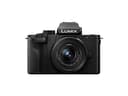
Record limits and heat: the spec that ends episodes
Consumer mirrorless cameras have historically imposed a recording limit per clip, and some still throttle 4K by time or by heat. A ninety-minute conversation is right at the edge of what a small body is designed to do, and the failure mode is brutal: you find out in the edit.
Two things follow from that. First, read the record-limit line on the specification page for the exact body and the exact codec you plan to use before you buy — it is model-specific and it changes between generations, so a review of the previous model does not answer it. The Panasonic G100 is the clear example on this page: its 4K is both cropped and time-limited, which is fine for a twelve-minute solo episode and wrong for a long-form interview. Second, shoot 1080p if your show is a talking-head conversation. It halves the thermal and storage load, it is what the overwhelming majority of podcast viewers will watch on a phone anyway, and nobody has ever stopped listening to a podcast over resolution.
Power: plug it in, always
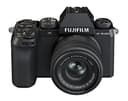
Every camera here will run from USB power, and for a podcast you should treat that as mandatory rather than as a backup. A battery is a countdown clock sitting inside your episode. Fujifilm’s X-S20 is the pick when you cannot be plugged in — its battery life is genuinely standout for a mirrorless body — but the correct setup for a show filmed in the same room every week is a camera on mains power with the battery in it as insurance.
Check one thing before you commit: whether your body charges over USB only when switched off, or actually powers itself while recording. Those are different features and manufacturers use similar language for both. The specification page for your exact model is the only trustworthy answer.
One camera or two?
A single wide shot of two people at a table is a perfectly good podcast and the format most shows should start with. The reason to add a second camera is not production value, it is editing: two angles let you cut a conversation down without a visible jump, which is the difference between a 90-minute recording and a watchable 45-minute episode.
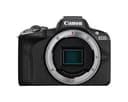
The practical route to two angles is two cheap bodies, not one expensive one. Two Canon R50s — 375 g each, oversampled uncropped 4K30, Dual Pixel autofocus that holds a face without being asked — will cut together better than one flagship, because the thing that matters when you intercut two angles is that the color and the autofocus behavior match. Buy the same body twice. Mixing a Sony and a Canon means color-matching two different color sciences every episode, by hand.
If you intend to go live rather than record, the camera has to hand a clean feed to your computer, either as a USB webcam or through a capture card off the HDMI port. Whether a given body outputs a clean, overlay-free HDMI signal is model-specific; check it on the manufacturer page, and see our capture card roundup for the hardware that takes that feed. Our guide to camera gear for streaming walks the whole chain.
Framing two people at a table
This is where sensor size actually earns its money on a podcast, and it is the reason the Micro Four Thirds G100 sits last on this page despite being the cheapest real camera here. In a room where the camera can only go eight feet back, a smaller sensor crops tighter for any given lens, so you end up either buying a wider lens or sitting your guests uncomfortably close together.
A 24mm-equivalent field of view frames two people at a table from about eight feet without the barrel-distorted faces you get from going wider. On APS-C that is a 16mm lens; our video lens roundup covers the options. Shoot at f/4 rather than wide open: a podcast needs both guests in focus, and f/1.8 at that distance will hold one face and soften the other. The depth of field explainer has the arithmetic.
The camera is not your audio
A video podcast is an audio product with pictures attached. Nobody abandons an episode because the image is soft; everybody abandons one that sounds like a kitchen. Do not record your voices into the camera even though every body here has a microphone input — put a real microphone in front of each host and record it separately or into an interface, and use the camera’s audio track only as a sync reference.
That is a genuine buying-order argument: a $200 microphone in front of your mouth improves a podcast more than $800 of extra camera. The Shure MV7+ is the default for an untreated room because its dynamic capsule rejects what a condenser would amplify, and our USB microphone roundup ranks the alternatives. If you are building the room as well as the kit, our home podcast studio guide sets out the order to spend in.
The honest caveats on these picks
Panasonic G100. Its built-in directional audio that tracks your face is a genuinely clever feature for a solo host with no microphone, and the body includes a viewfinder at a price where that is rare. But Panasonic’s own US store lists this kit as unavailable and points buyers to the G100D, so treat it as the outgoing version and check which one you are being sold.
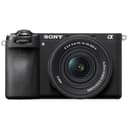
Sony a6700. It is the most capable body here — IBIS, AI subject recognition, oversampled 4K60 — and most of that is wasted on a tripod at a table. Buy it if the camera has a second life shooting something else; do not buy it for the podcast alone.
Sony ZV-E10 II. No viewfinder and no in-body stabilization, neither of which matters here, and it is often sold as a pricier lens-and-accessory bundle. Price the body against the kit before you add to cart.