How to Use a Teleprompter
The gear is the easy part. How a beam splitter works, how to set the scroll speed, and how to write a script that does not sound read.
A teleprompter solves one specific problem: it lets you read words while looking directly into the lens. That is all it does, and it is worth being clear about, because the thing most people hope a prompter will fix — sounding natural while delivering a script — is a writing and rehearsal problem that a prompter can make either better or considerably worse.
The optics are simple. A sheet of beam-splitter glass sits at 45 degrees in front of the lens, typically in a 70/30 ratio: it passes about 70 percent of the light straight through to the camera and reflects about 30 percent back toward you. A screen lying flat below the glass shows your script, mirrored, and the glass bounces it up into your eyeline. You read a floating script; the camera sees only your face, looking straight at it.
The two kinds of prompter
Beam-splitter rigs that take your own device. A frame, a piece of 70/30 glass and a mount for a phone or tablet you already own, plus a free prompter app. These are the cheaper and more flexible route, and the glass size is what you are paying for: larger glass takes a larger tablet, which means larger text, which means a longer script stays readable. They are bulkier to set up and they go in front of a camera on a tripod.
Integrated-screen desk prompters. A built-in display and its own software, designed to live on a desk in front of a camera or webcam permanently. Faster to use and tidier, usually smaller, and the software can often mirror any window rather than only scroll a script — which means your notes, a call or a chat panel can sit over the lens instead of a script. They cost more and the screen suits a desk rather than a room.
Either way, the camera has to be able to focus and frame through the glass, so check that your lens fits the opening in the hood and that your lens hood comes off.
Distance: the part that decides whether reading shows
The giveaway on camera is not the prompter, it is eye movement. The closer the glass is to your face, the further your eyes travel to read each line, and the more obviously they move.
Four to six feet is the practical range for a prompter in front of a tripod. Back the camera up and use a longer lens to keep the framing — which is the standard professional answer and also happens to be more flattering, as our on-camera guide explains. For a desk prompter sitting two feet away, the mitigations are text size and short line lengths: narrow columns of large text keep your eyes nearly still.
Scroll speed and text size
Set the speed slower than feels right and the text larger than feels necessary. Both errors run the same direction: people set a fast scroll and small text, then chase the script, and chasing is audible — it flattens the pauses out of a delivery and makes everything sound rushed.
The target is that the line you are speaking sits in the middle of the glass and stays there. If it drifts upward, you are behind; if you are waiting for words, you are ahead. Almost every prompter here ships with a remote (the Neewer X12 and the Desview T3 both include one) specifically so you can correct that mid-take without reaching for a keyboard.
It is also worth setting a mirrored preview on a second screen or your phone if your software supports it, so you can see what the camera sees without turning your head.
How this is funded:we earn a commission if you buy through our links, at no extra cost to you. It never changes which product we recommend, and we’ll tell you plainly when to skip one. Full disclosure.
Quick picks
Ranked on published specs and buyer fit. Select a row to jump to the full write-up. We have not tested these products — here is exactly what we do instead.
| # | Product | Best for | Price |
|---|---|---|---|
| 1 | 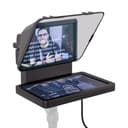 Elgato Prompter The teleprompter that finally makes the desktop kind simple. A compact screen mounts in front of your lens, and Elgato's software scrolls your script — or mirrors any window — while you look straight down the barrel. The integration with a streaming setup is the draw; it is small, clever and genuinely easy to live with. | Best for a desk | |
| 2 | 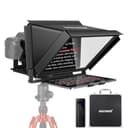 Neewer X12 14-inch Teleprompter A bigger beam-splitter prompter for larger tablets, with a remote and a companion app. The 14-inch aluminum frame takes an iPad-sized screen, so your script sits large and readable for longer takes. A solid middle ground for talking-head video and online teaching where you read a lot of copy. | Best for long scripts | $161.49 · View on Amazon Price as of October 27, 2026. #ad How we’re funded |
| 3 | 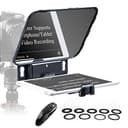 Desview T3 Teleprompter The affordable beam-splitter prompter for phone and smaller-tablet shooters. It supports devices up to about 10 inches, includes a Bluetooth remote, and keeps things simple and cheap. If you want to try shooting with a prompter before committing real money, start here. | Cheapest way to try one | $89.99 · View on Amazon Price as of October 27, 2026. #ad How we’re funded |
The three picks, and which one fits your setup
Elgato Prompter — a compact desk unit with a built-in 9-inch display, mounted so the camera shoots over it, driven by software that scrolls a script or mirrors any application window on your computer. The window-mirroring is the part worth paying for: it means you can put your notes, your chat or your call participants over the lens, not just a script. Small enough for a desk and not intended for a room-scale shoot.
Neewer X12 14-inch Teleprompter — an aluminium beam-splitter frame sized for an iPad-class tablet, with a remote and a companion app. The larger glass is the reason to choose it: a bigger screen means bigger text, which means longer scripts stay readable. Heavier to set up, and you bring your own tablet.
Desview T3 — the cheap way to find out whether you actually shoot better with a prompter. A real beam-splitter rig for phones and tablets up to about 10 inches, with a Bluetooth remote included. Smaller glass than the pricier rigs, and you supply the device and the app.
Our teleprompter roundup ranks the category in full, including the larger Glide Gear rig.
Lighting around a beam splitter
Prompter glass is partially reflective, which means it will happily bounce your lights back into the lens as a haze across the frame. Two rules keep that from happening.
Keep light off the glass. Your key light belongs to one side of the camera, angled so it lights you and not the front of the rig. If you see a milky veil in the footage, a light is hitting the glass.
Hood the back. Most prompters ship with a cloth hood or skirt that covers the join between the lens and the glass. Use it. Without it, light from behind the camera reaches the glass and the shot loses contrast.
Set the screen brightness as low as you can still read, too. An overly bright prompter screen can reflect faintly in a subject’s glasses and will show as a glow in their eyes. Our lighting for glasses guide covers the same reflection problem in more depth.
Writing a script that survives being read
This is the part that separates a prompter that helps from one that makes your videos worse, and it has nothing to do with the hardware.
Write for the ear. Short sentences. Contractions. One idea per sentence. Read every line aloud as you write it and cut anything you stumble on — a stumble is the script’s fault, not yours.
Break lines where you breathe. Put each phrase on its own line rather than letting the software wrap a paragraph. Your eyes then move down rather than across, which is both easier to read and far less visible on camera.
Mark your emphasis. Capitalise or bold the word in each sentence that carries the meaning. It sounds crude and it is the most reliable way to stop a read going flat.
Leave the exact numbers in and the adjectives out. The reason to use a prompter is precision — a specification, a price, a legal line, a sponsor’s wording. Everything else can be paraphrased live, and will sound better for it.
A workable take
- Load the script, set the text large, set the speed slow.
- Read the whole thing aloud once with the prompter running, not recording. Fix every stumble in the text.
- Check the frame for glass flare and turn the screen brightness down.
- Record in sections of three or four sentences, not in one pass. A prompter does not require a single take and pretending it does is how people end up with twenty failed ones.
- At the end of each section, pause and hold your eyeline for two seconds before you stop. That gives the edit somewhere to cut.
And if your delivery still sounds read, record the piece once without the prompter, listen to how you naturally said it, and rewrite the script to match. That is the whole trick, and it works on everyone.
Frequently asked questions
How does a teleprompter work?
A piece of 70/30 beam-splitter glass sits at 45 degrees in front of the lens. It reflects a screen below it back toward you, while letting the camera shoot straight through it. You read the reflected text and the camera sees only your face looking directly into the lens.
What scroll speed should a teleprompter be set to?
Slower than you expect. Set it so the line you are reading sits in the middle of the glass and you are never chasing it. If you find yourself speeding up to keep pace, the speed is wrong — most prompter software lets you nudge it with a remote or arrow keys mid-take, which is the practical fix.
How do you not sound like you are reading from a teleprompter?
Write the script for the ear rather than the page: short sentences, contractions, one idea per line. Then read it aloud twice before you record, and allow yourself to paraphrase. The read-aloud sound comes from written-English sentence structure, not from the prompter.
Do I need a teleprompter or can I just use notes?
Notes work when you are talking around bullet points. A prompter earns its place when the words themselves matter — a product explanation, a sponsored read, a tutorial where an imprecise sentence misleads someone — or when you need to deliver a long script in one take without losing eye contact.
Can you use a phone as a teleprompter?
Yes. A beam-splitter prompter that takes a phone or tablet plus a free prompter app is the cheapest real route, and it is what most budget prompters are designed for. The limitation is text size: a phone screen forces small text or very few words per line, which is why larger scripts want a tablet.
How far should a teleprompter be from you?
Far enough that your eyes are not visibly scanning — usually four to six feet. The closer you are, the more your eye movement reads on camera as reading. A longer lens from further back is the standard professional solution to exactly that problem.
What text size should I use on a teleprompter?
Large enough to read comfortably at your shooting distance, which usually means fewer words per line than you would like. Short lines are an advantage: they give you natural breath points and stop your eyes travelling far across the glass, which is what makes reading visible on camera.
Sources
- Elgato — Official product specifications — Elgato official spec pages for lighting, webcams and capture cards (accessed July 18, 2026)
- Neewer — Official product specifications — Neewer official lighting and studio spec pages (accessed July 18, 2026)
Keep reading
Best Teleprompters
Desk prompters and beam-splitter rigs, ranked by setup and screen size.
See telepromptersHow to Look Good on Camera
Camera height, lens distance and light placement, in order.
Read the guideHow to Start a YouTube Channel
What to film, what to buy and in what order.
Read the guideBest Cameras for Podcasting
For scripted intros and segments filmed down the lens.
See podcast cameras