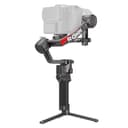
How we picked
Gimbals are sold on motor torque and app features. In practice, five things decide whether you keep using one, and we ranked in this order:
- Tested payload against your real kit weight.Not your camera body — your camera plus the lens, plus the plate, plus anything on the hot shoe. A Sony a7 IV with a 24-70mm f/2.8 is comfortably past 1.5 kg, which immediately rules out the 1 kg class. The honest rule is to leave 20-30% of headroom so the motors are not working at their limit, because a gimbal run at its ceiling runs hot, holds balance worse and empties its battery faster.
- Weight of the gimbal itself.This is the spec that decides whether it comes with you. The spread below is large — from 653 g to about 1.27 kg before you add a camera — and you hold the whole thing at arm’s length. A heavier gimbal is more stable and takes more camera; a lighter one is the one that is actually in the bag on the day.
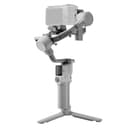
- How fast it sets up.Balancing a gimbal is a five-minute job the first time and a 60-second one once you know the camera, but only if the hardware helps. Automated axis locks — which the DJI RS 4 Mini has — mean you fold it, drop it in a bag, and pull it out ready. Manual latches on every axis are the single most common reason a gimbal ends up unused in a cupboard.
- Battery runtime and charge time.Published runtime figures are measured stationary and balanced, so treat them as a ranking rather than a promise — active use with a heavy lens cuts them substantially. Charge time matters just as much in practice: a gimbal that recharges in 1.5 hours can be revived over lunch, one that takes 3 hours cannot.
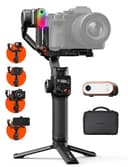
- What is in the box versus what you buy later. This is where the value picks earn their place. Subject tracking on the DJI RS line needs a separate Intelligent Tracking Module; the Hohem includes a tracker and a fill light, and the Zhiyun builds a light into the head. Comparing sticker prices without comparing what each one includes is how people end up spending more than they planned.
What we did not do is claim hands-on results. There is no test footage here and no shoot-out. The specs are published manufacturer figures, dated in the sources; the judgments are ours.
Match the gimbal to your camera, not to your budget
Work out your kit weight before you look at a single price. Weigh the body with the battery and card in it, add the heaviest lens you intend to use on the gimbal, and add about 100 g for the quick-release plate. Then read the payload ratings below against that number. Three bands cover almost everyone:
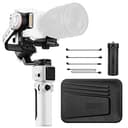
Up to about 1 kg— a compact mirrorless body with a pancake or small prime: a Sony ZV-E10 with a 35mm, a Fujifilm X-T30 II with the 27mm, a Canon R50 with the kit lens. The Zhiyun Crane M3S at 705 g is the lightest way to stabilize that kind of setup, and the Hohem iSteady MT2 gives you a little more headroom at 1.2 kg.
Up to 2 kg — the band most readers of our hybrid camera guide land in: an APS-C or entry full-frame body with a standard zoom or a fast prime. The DJI RS 4 Mini is built precisely for this and is our overall pick for that reason.
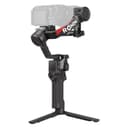
3 kg and up— full-frame with a professional f/2.8 zoom, or anything with a cage, monitor and microphone bolted to it. That is RS 4 territory, and a rigged cinema camera with a matte box and follow focus is RS 4 Pro territory.
Buying one band up “to be safe” is a common mistake, and it is not free: you pay in weight, bulk and money for capability you will not use. Buying one band down to save money is worse — an overloaded gimbal does not partly work, it fails to hold balance at all.
What a gimbal does not fix
Gimbals get sold as a cure for bad-looking footage, and they only fix one specific cause of it. Worth knowing before you spend:
It does not fix your footsteps.A gimbal cancels rotation — pan, tilt and roll — but it does not cancel vertical travel. If you walk normally, the camera still rises and falls with your gait, and the result is smooth but bouncy. The technique is to walk with bent knees in a slight crouch, heel to toe, which is unglamorous and is exactly what separates good gimbal footage from mediocre gimbal footage.
It does not fix autofocus.Smooth motion makes focus errors more obvious, not less. If your camera hunts on a static tripod shot, it will hunt on a moving gimbal shot too — our autofocus modes explainer is the better place to start on that.
It does not fix a wobbly lens choice. Long focal lengths magnify every residual movement, so a 70-200mm on a gimbal will look less stable than a 24mm on the same gimbal. Gimbal work favors wide and standard lenses, which is part of why the primes in our video lens guide pair so well with one.
And it does not replace a tripod.A gimbal makes moving shots good; a tripod makes still shots perfect, costs a fraction as much, and needs no charging. If you have neither, buy the tripod first — our tripod guide covers that. The gimbal is the second purchase, for when your edit needs motion rather than steadiness.
Gimbal, in-body stabilization, or an action camera?
These three solve overlapping problems at wildly different prices, and picking the wrong one is expensive.
In-body stabilization(IBIS) is free if your camera has it and genuinely excellent for handheld static shots and small movements. It cannot stabilize a walking shot — the sensor simply does not have enough travel to counteract that much motion. Our image stabilization explainer covers what it can and cannot do.
An action camera uses electronic stabilization, which crops into the frame and shifts the crop window to cancel shake. It is remarkably effective and needs no setup at all, which is why the models in our action camera guide produce smoother walking footage straight out of the box than a mirrorless camera does. The costs are the tiny sensor, the fixed ultra-wide lens and the cropped field of view.
A gimbal is the only one of the three that gives you smooth motion andyour real camera, your real lens and your real sensor. That is the entire reason to carry one, and it is why gimbal footage has a look that electronic stabilization cannot imitate — the movement is mechanically constant rather than algorithmically corrected. The cost is setup time, weight, and one more battery to remember.
For most creators the honest answer is that you want two of the three: a camera with IBIS for everyday shooting, and a gimbal for the days when the shot needs to move. If you shoot weddings or events, the gimbal goes in the bag every time; if you shoot talking-head video at a desk, you may never need one, and the money is better spent on lighting or audio.
Setup, in the order that saves you time
Three habits make the difference between a gimbal you use and one you resent. First, balance it with the lens you will actually shoot, and if you use a zoom, balance it at the focal length you will use most — extending a zoom shifts the center of gravity and unbalances the roll axis. Second, balance it before you power it on; the motors are there to make fine corrections, not to hold up a lopsided camera, and a gimbal balanced properly will hold its position with the power off. Third, save the balance— mark the plate position with a pencil line or use the app’s profile memory, so the next setup is seconds rather than minutes.
Beyond that, learn one move properly rather than five badly. A slow, straight push toward a subject, walked heel-to-toe with bent knees, cuts into almost any sequence and immediately looks deliberate. The whip pans and orbits the marketing videos show off are worth learning second. Our b-roll guide has the shot list we would practice first.